Artist View – Always Use Primary Image
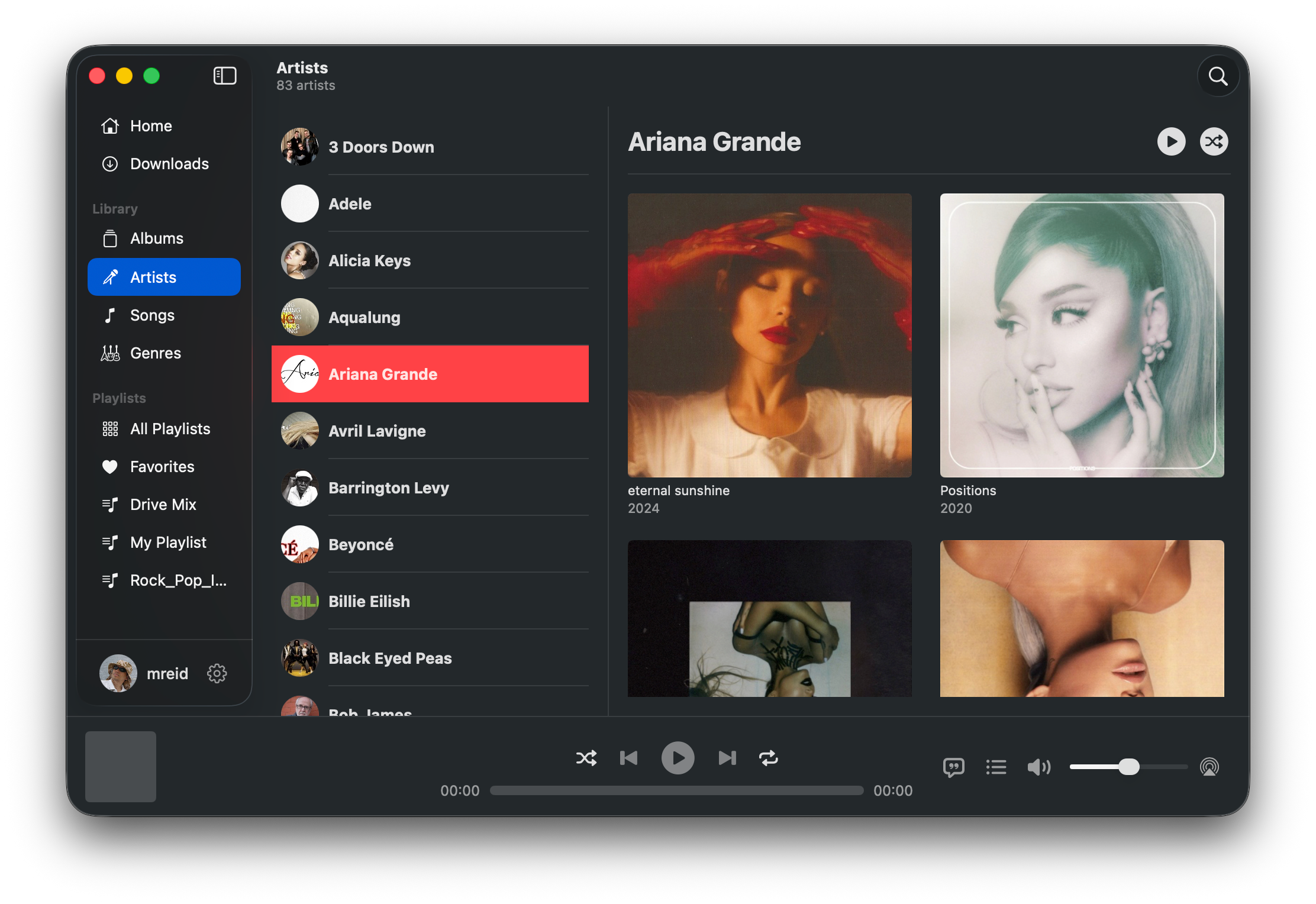
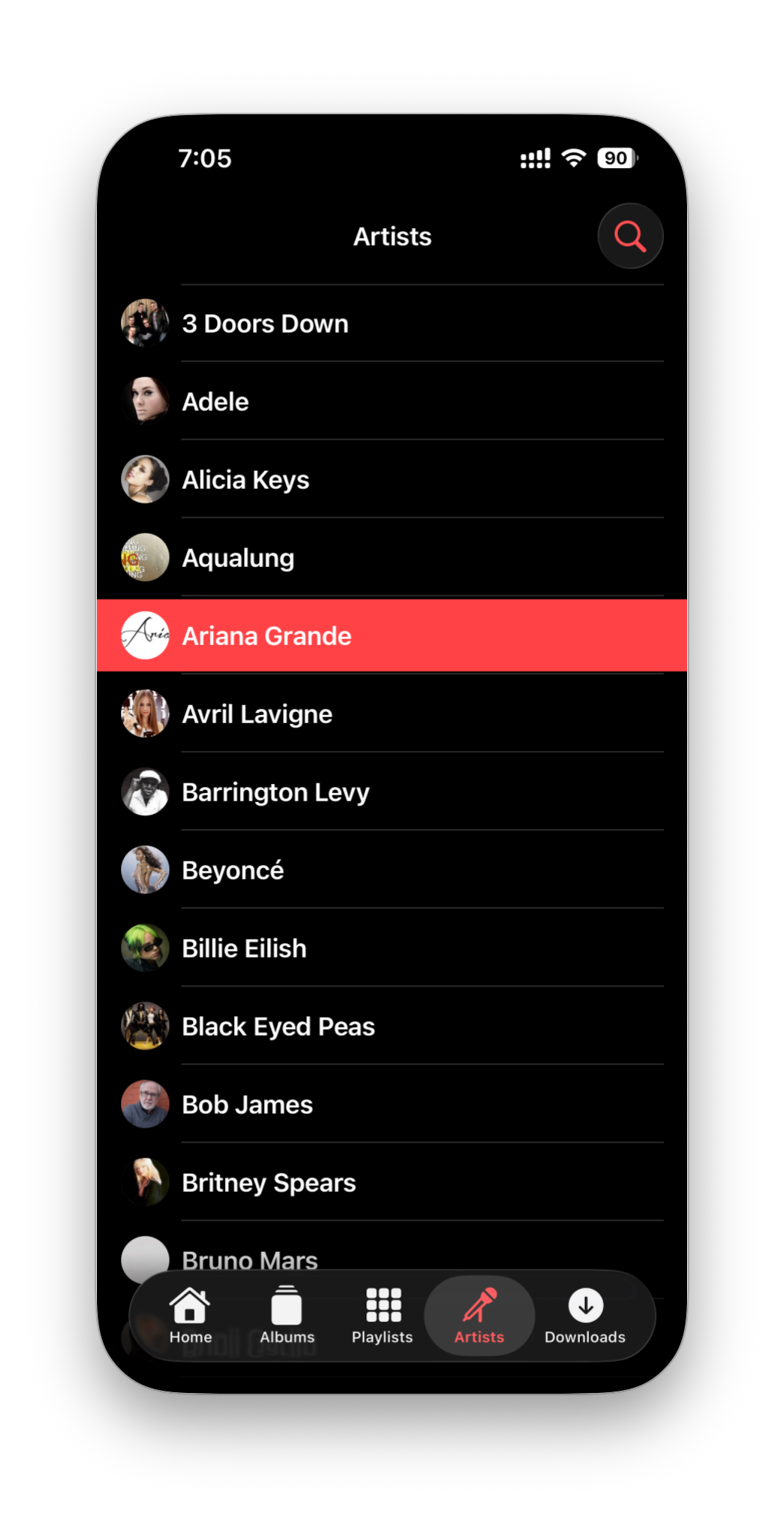
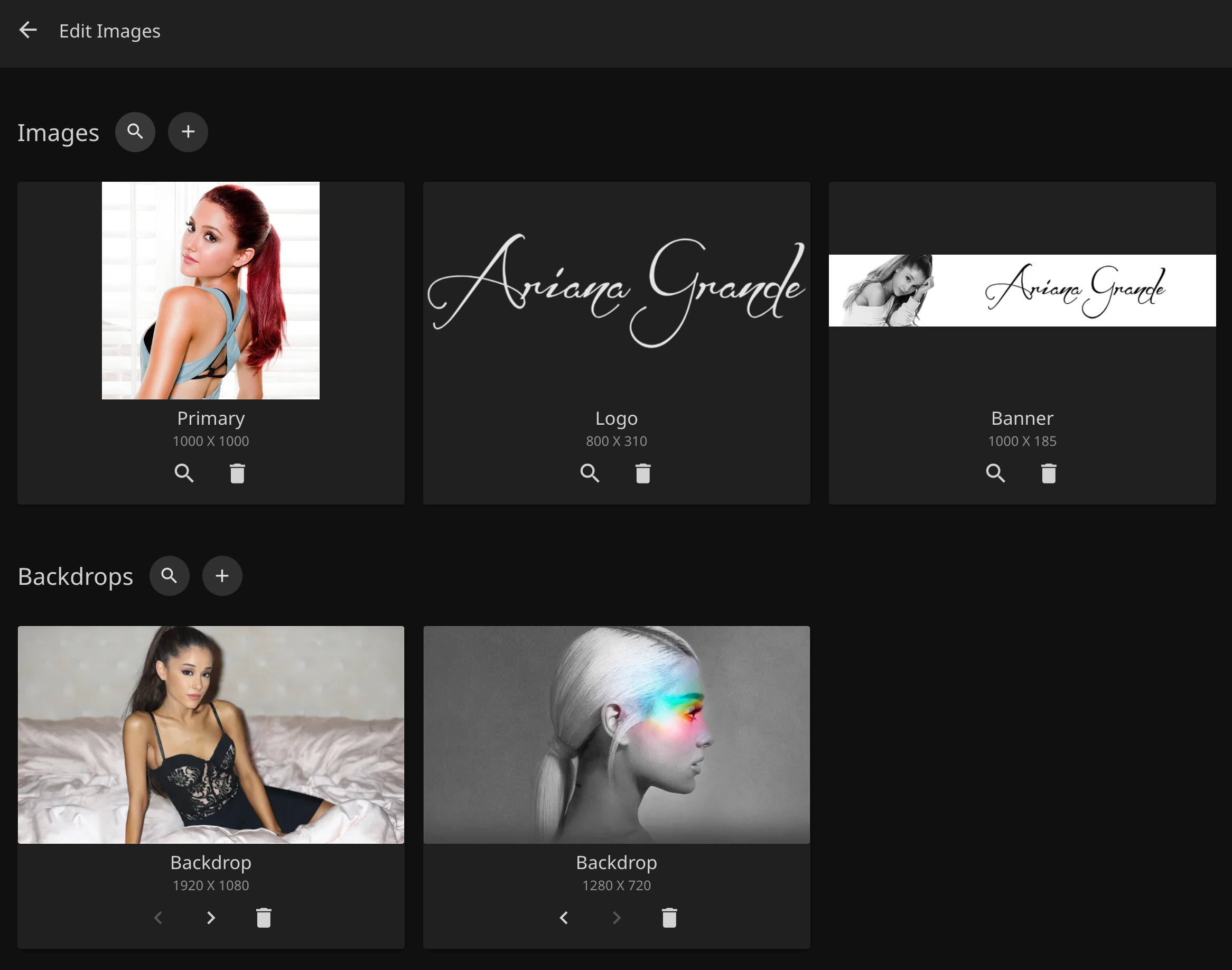
Across the iOS, macOS, and tvOS versions of the app, the Artist view appears to prefer the banner image over the primary image when both are available in Jellyfin.
This results in inconsistent presentation across artists. In particular:
The displayed artwork does not always match the intended primary artist image set in Jellyfin.
In CarPlay, using banner artwork leads to inconsistent row heights in the artist listing, which negatively impacts the visual consistency and overall polish of the interface.
On tvOS, banner images often do not scale or crop as cleanly as primary images in grid-based layouts.
For consistency and improved UI presentation across all platforms, the Artist view should always use the Primary image rather than the Banner image when displaying artists.
Attached are example screenshots (Ariana Grande on iOS and macOS) along with the corresponding images stored in Jellyfin, demonstrating that the banner image is currently being used instead of the primary image.
Please authenticate to join the conversation.
Completed
Feature Request
7 months ago

mreid
Subscribe to post
Get notified by email when there are changes.
Completed
Feature Request
7 months ago
mreid
Subscribe to post
Get notified by email when there are changes.