Add a “Stop” button to explicitly stop active playback streams
Please consider adding a dedicated “Stop” button to the player controls to allow users to explicitly stop the current playback stream.
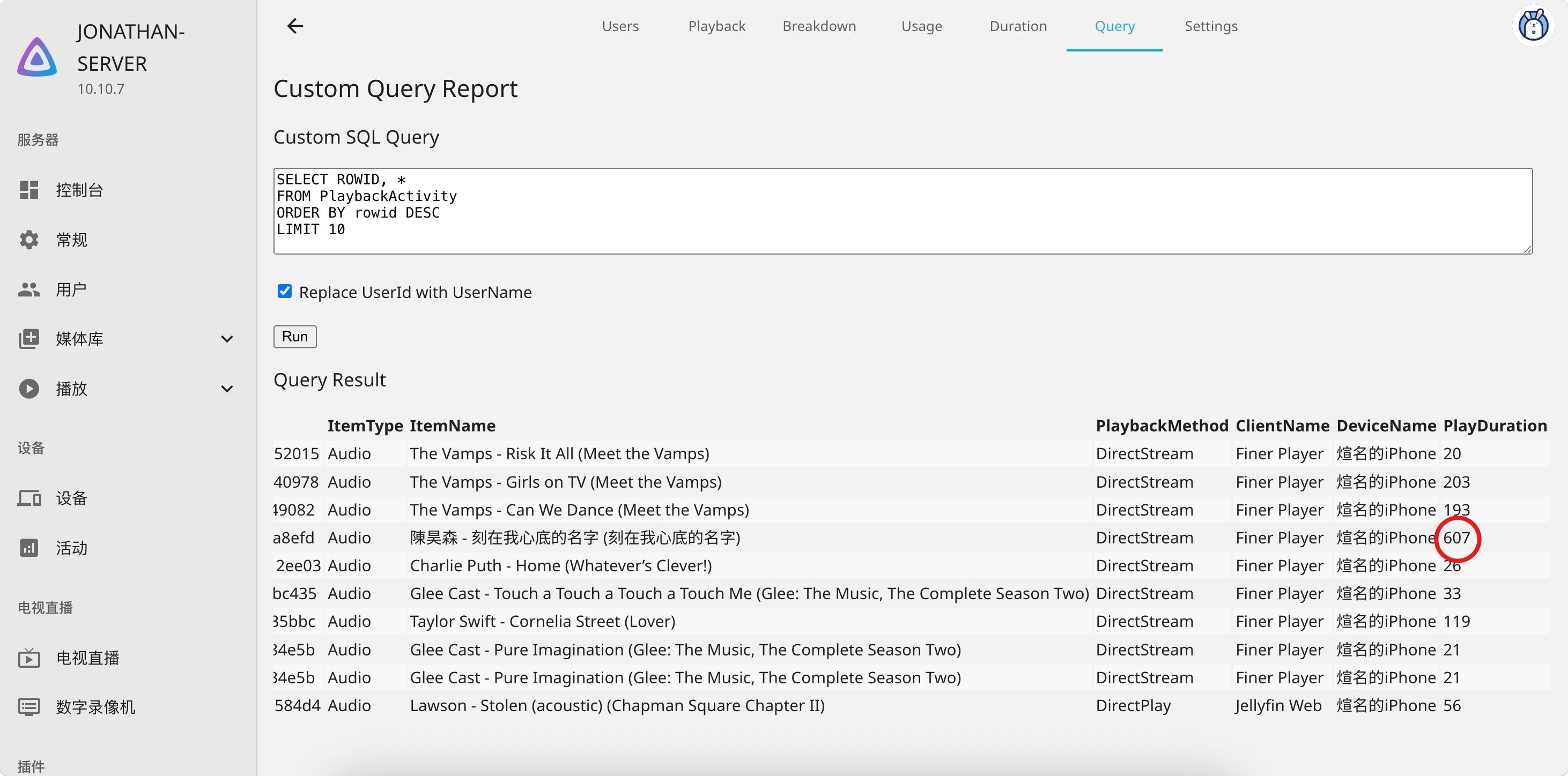
Currently, when the application is closed while music is still playing, the server-side playback session can not be properly terminated. The stream continues running on the Jellyfin server. As a result, the Playback Reporting plugin continues recording playback time, causing the reported play duration to be significantly longer than the actual listening time.
A “Stop” button would allow users to manually terminate the playback session before closing the application, ensuring that the Jellyfin server correctly stops the stream.
Thank you for considering this improvement.
Log in to comment and vote
Comments1
JonathanChiu
Aug 8
I noticed that Jellyfin only passively sends the stop signal for the previous track when the app is launched again and playback starts. This means that the entire period between closing the app and starting the next session is still considered “playing”.
I think adding a Stop button would be very useful. It would allow the client to properly terminate the playback session when the user wants to stop listening, and let server work as intended.